Tired of Muddy Audio? 5 Best Mobile Recording & Editing Apps That Actually Work in 2026
Smartphones possess more than enough processing power to replace portable recorders, field microphones, and entry-level podcast setups. Yet, the actual experience of recording a street interview, capturing a spontaneous voice note, or cleaning up audio for social media remains surprisingly frustrating. Creators and professionals constantly battle ambient background noise, chaotic file management, overly simplistic editing interfaces, and inaccurate transcription services.
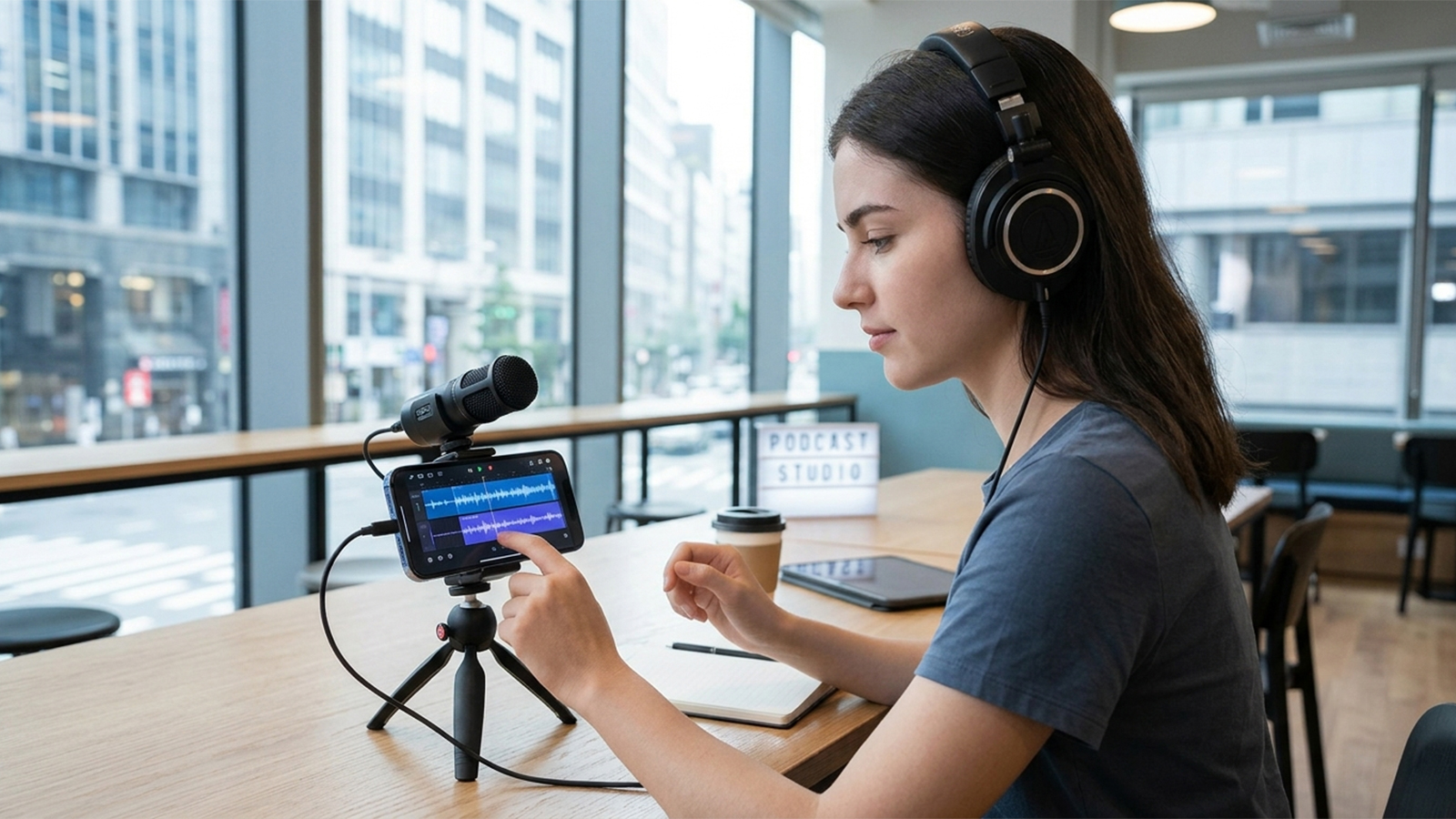
To cut through marketing hyperbole, this review adopts a practical, journalism-driven approach. The selected apps have been evaluated based on real-world usability, voice enhancement efficiency, and actual mobile editing workflows. Every tool featured is currently available on the US Apple App Store and Google Play Store, maintaining active user bases and receiving regular updates.
Evaluation relied on strict, real-world testing criteria:
Raw Audio Fidelity: The clarity of unedited recordings in challenging environments like busy streets, crowded cafes, and echo-prone indoor spaces.
Editing Interface Usability: The functionality of the mobile interface, looking beyond basic "trim" functions to assess true waveform manipulation on a small screen.
Transcription and Automation: The accuracy and speed of built-in AI features and live text generation.
Pricing Transparency: The actual value proposition, separating genuinely free utility from restrictive subscription paywalls.
Export Flexibility: The ease of moving files into broader workflows for students, journalists, and audio professionals.
Testing across daily commutes, indoor sit-down interviews, and rapid content creation scenarios revealed a clear hierarchy of applications that deliver reliable results.
1. Apple Voice Memos (iOS Only) — The Hidden Power Tool Most iPhone Users Underestimate
OS Availability: iOS (Built-in)
The Reality Check: Performance in the Field
On paper, Apple Voice Memos appears too minimalist to compete with dedicated audio suites. In practice, however, it remains one of the most stable and dependable mobile recording utilities available, offering frictionless operation for iPhone users.
Field testing in noisy environments—including busy urban intersections and echoing indoor corridors—demonstrated impressive consistency. The built-in "Enhance Recording" feature isolates human speech and reduces low-frequency ambient rumble without introducing the digital artifacting or artificial "underwater" sound common to aggressive noise-suppression algorithms.
The primary appeal of Voice Memos lies in its operational reliability rather than its editing suite. A single tap initiates recording instantly, bypassing the need for account creation, subscription prompts, or cloud uploading delays.
Pros
Completely free and natively integrated into the iOS ecosystem.
Exceptional stability that prevents app crashes during long sessions.
One-tap audio enhancement noticeably improves speech intelligibility.
Instant synchronization across iCloud for immediate desktop access.
Streamlined workflow designed for fast-paced journalism and academic note-taking.
Cons
Complete lack of multi-track editing capabilities.
No native text transcription or AI-driven summarization tools.
Exclusively limited to Apple hardware.
File organization becomes cumbersome when managing hundreds of tracks.
Pricing
Genuinely free with no hidden paywalls.
The Assessment
When operational speed and data integrity take priority over advanced post-production features, Apple Voice Memos excels. It serves as an immediate, dependable tool that proves its value through consistent daily performance.
2. Dolby On — Best Free App for Instant Audio Enhancement
OS Availability: iOS / Android
Developer: Dolby Laboratories
The Reality Check: Performance in the Field
Dolby On operates on a distinct philosophy: eliminating the need for post-production editing by optimizing the audio during the recording process itself. The application utilizes proprietary real-time audio processing to analyze and correct input signals immediately.
Testing during outdoor walking interviews revealed that the app actively mitigates wind interference and normalizes fluctuating vocal volumes on the fly. The main benefit is accessibility; users do not need a background in audio engineering to achieve balanced results, as the software handles equalization and compression automatically.
Beyond basic recording, Dolby On provides a streamlined toolkit that includes basic trimming, toggleable noise reduction filters, and specialized acoustic presets tailored for either spoken word or live music.
Pros
Automated noise reduction and dynamic leveling yield immediate clarity.
Intuitive, uncluttered interface designed for rapid deployment.
Versatile processing that handles both speech and acoustic instruments effectively.
Eliminates the learning curve associated with manual audio engineering.
Completely free to use without advertising intrusion.
Cons
Advanced manual editing controls are highly restricted.
Aggressive processing can sometimes over-compress highly dynamic audio.
Unsuitable for complex, multi-layered audio projects.
Noticeable processing lag required immediately after stopping a recording.
Pricing
Free, with core feature access requiring no subscription.
The Assessment
Dolby On provides an ideal solution for creators who require polished, broadcast-ready sound without investing time into manual editing. It is particularly effective for on-the-go social media creators who need to export clean audio instantly.
3. Otter.ai — Best for Transcription-Driven Voice Recording
OS Availability: iOS / Android / Web
Company: Otter.ai
The Reality Check: Performance in the Field
Otter.ai functions less as a traditional waveform editor and more as an automated transcription engine built around speech capture. It targets meetings, lectures, and long-form interviews rather than creative audio production.
During evaluation, the real-time transcription engine proved highly accurate, generating synchronized text captions and identifying individual speakers simultaneously. This automated separation drastically reduces the time required for post-interview logging and synthesis.
The free tier offers a baseline allotment of monthly transcription minutes alongside basic recording functions. Upgrading to paid tiers unlocks expanded cloud storage, advanced search functions, higher transcription capacities, and collaborative team tools.
Pros
Highly accurate, real-time text transcription during active recording.
Automated speaker diarization successfully distinguishes between multiple voices.
Searchable text transcripts directly linked to specific timestamps in the audio.
Seamless cloud synchronization allows immediate transition to desktop browsers.
Optimizes workflows for journalists, corporate meetings, and academic research.
Cons
Demands a stable internet connection for optimal transcription accuracy.
Heavy usage quickly necessitates a costly monthly subscription.
Audio editing tools are virtually non-existent, prioritizing text over sound manipulation.
Processing sensitive interviews on cloud servers may raise privacy concerns for some institutions.
Pricing
Free tier available with monthly limitations.
Paid plans start at approximately $16.99/month per user, with pricing structures varying by billing cycle.
The Assessment
Otter.ai is built specifically for users who view audio as a stepping stone to structured text. For researchers, students, and media professionals, it successfully automates hours of tedious, manual transcription work.
4. GarageBand — Best Free Full Editing Studio on Mobile
OS Availability: iOS / iPadOS
Developer: Apple
The Reality Check: Performance in the Field
GarageBand effectively transforms iOS devices into fully realized digital audio workstations (DAWs). Although frequently categorized strictly as music software, the platform provides an incredibly robust environment for complex voice editing when configured correctly.
Testing the application by importing raw files from Apple Voice Memos confirmed its strength in multi-track management. Users can layer multiple vocal tracks, insert intro or outro music, apply precise parametric equalization, and fine-tune compression levels. The depth of the interface rivals entry-level desktop software.
The primary advantage here is production scale. A creator can progress from capturing a basic voice track to mastering a fully produced, multi-person podcast episode entirely within a single application.
Pros
Genuinely free with no feature restrictions for iOS users.
True multi-track audio sequencing and precise waveform editing.
High-fidelity export options supporting uncompressed audio formats.
Effortless file importation from basic iOS recording utilities.
Professional-grade toolkit ideal for podcast production and sound design.
Cons
A steep learning curve that may intimidate casual users.
Completely unavailable on the Android platform.
Overly complex and inefficient for capturing quick, spontaneous voice memos.
Completely lacks text transcription or speech-to-text integration.
Pricing
Free.
The Assessment
GarageBand serves as the ultimate upgrade path for mobile creators. It allows users to transition from basic recording into sophisticated audio engineering and multi-track mixing without leaving the mobile ecosystem or investing in expensive software.
5. BandLab — Best Cross-Platform Recording + Editing App
OS Availability: iOS / Android / Web
Company: BandLab
The Reality Check: Performance in the Field
While BandLab is primarily marketed toward independent musicians for song creation, it has quietly evolved into one of the most capable, cross-platform audio tools for mobile content creators and podcasters.
Testing on mid-range Android hardware demonstrated that BandLab handles multi-track vocal sessions smoothly without stuttering or latency issues. The application allows users to stack voice tracks, apply vocal effects clarity presets, and utilize real-time cloud collaboration tools.
Unlike platform-exclusive alternatives, BandLab operates fluidly across iOS, Android, and web browsers, making it an invaluable tool for teams utilizing varied hardware ecosystems.
Pros
Core creation and editing platform is completely free.
True cross-platform functionality ensures seamless Android and iOS collaboration.
Robust multi-track editing environment with cloud-based project saving.
Built-in vocal processing effects and clean audio restoration tools.
Active online ecosystem allows collaborative editing in real time.
Cons
The music-centric user interface can feel cluttered to those focusing solely on speech.
Requires a mandatory account creation and an active internet connection for cloud features.
The extensive feature set can overwhelm users searching for a simple, single-track recorder.
Certain advanced creation tools and specialized add-ons are locked behind premium tiers.
Pricing
Free core platform with optional regional paid add-ons and premium subscriptions.
The Assessment
BandLab provides the flexibility and multi-track capability required by collaborative production teams. It represents the top choice for creators who mix mobile operating systems or regularly switch between mobile phones and desktop computers.
Strategic Breakdown: Selecting the Right Mobile Audio Workflow
Field testing across diverse environments—ranging from chaotic street journalism to structured meeting rooms—reveals that no single application satisfies every audio requirement simultaneously. Instead, selection must depend entirely on the specific goals of the session.
For instantaneous, zero-friction voice capture: Apple Voice Memos delivers unparalleled speed and reliability.
For automated acoustic enhancement without manual mixing: Dolby On provides immediate, polished results.
For transforming interviews and lectures into written data: Otter.ai remains the industry standard for text-first workflows.
For comprehensive, studio-grade vocal editing on Apple hardware: GarageBand offers unmatched multitrack depth.
For collaborative, multi-track projects across mixed Android and iOS teams: BandLab provides the necessary cross-platform versatility.
Ultimately, modern mobile audio software has evolved past basic functionality limitations. The decision relies entirely on identifying which specific interface aligns with the user's broader production workflow.

Health and Wellness
Safe Routes, Bright Streets: 5 Best Apps for Night Running & Cycling in US Cities
Urban athletes no longer prioritize speed alone; personal safety has become a critical variable. Whether navigating a pre-dawn run through downtown Chicago, a late-evening bike ride in Los Angeles, or...




Hobbies and Entertainment