Essential Apps for Designing Rain Gardens and Managing Yard Drainage in 2026
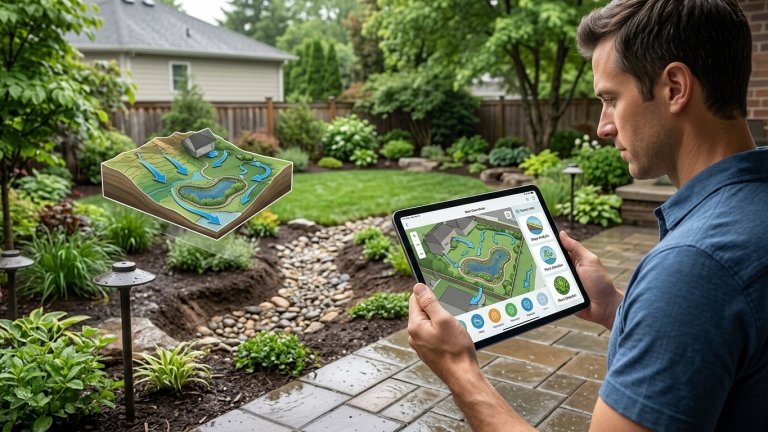
Managing water in your backyard can quickly become one of the trickiest parts of landscaping. Whether you’re dealing with persistent puddles after a spring downpour or designing a lush rain garden to catch runoff, the difference between a thriving outdoor space and a soggy, frustrating mess often comes down to precise planning. Get the slope wrong, and you’re not just risking dead plants—you could be facing foundation issues, soil erosion, or even costly water damage.
Water management isn’t glamorous, but it’s essential. Proper drainage protects your home, keeps your plants healthy, and can even create new landscaping features that enhance the beauty of your property. The key is combining technical accuracy with thoughtful design—ensuring that water flows naturally across your yard while also integrating seamlessly with your aesthetic goals.
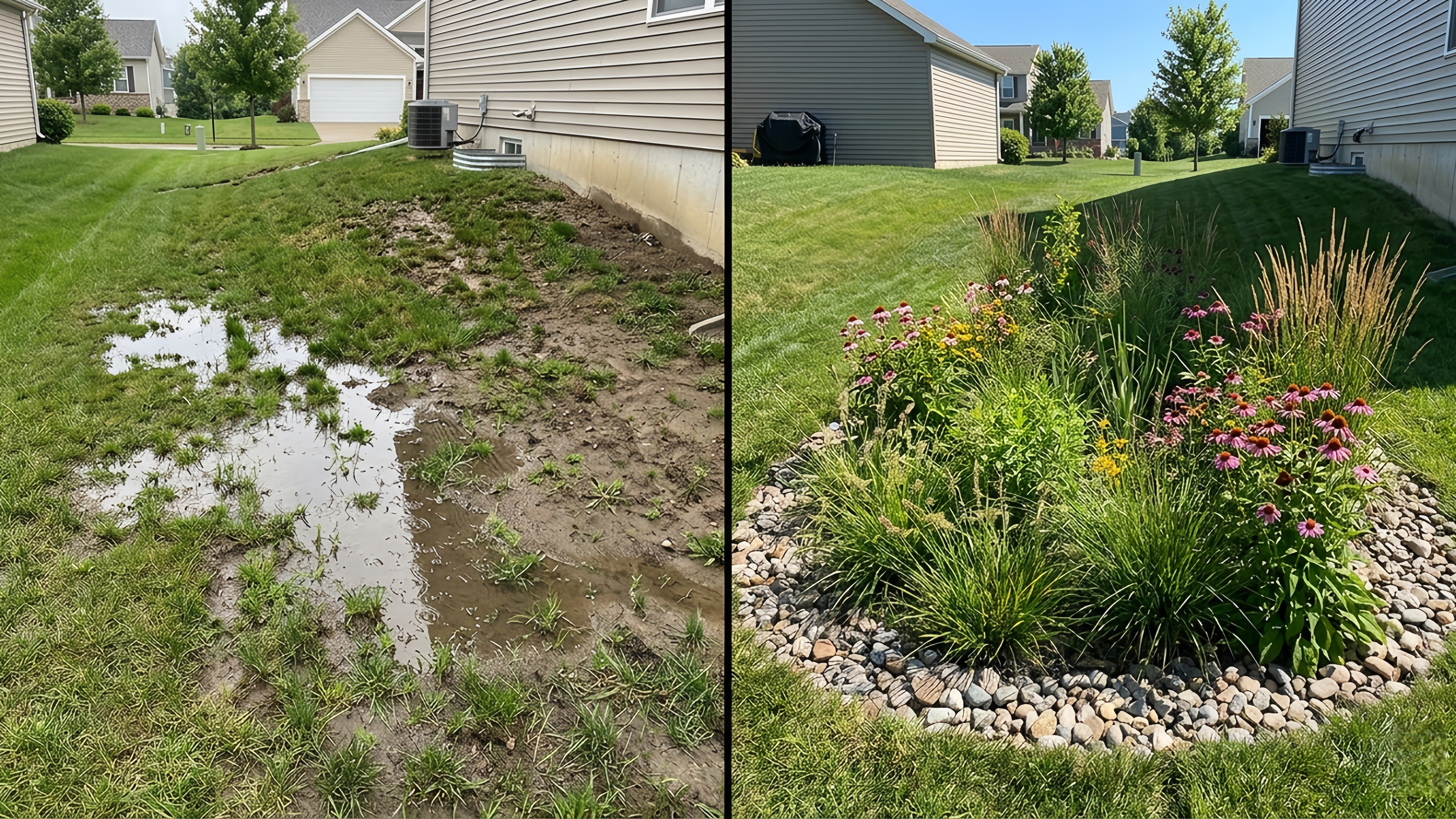
We spent weeks testing mobile tools to identify platforms that go beyond simple “pretty pictures” and actually provide the technical depth you need to understand slope, grade, and water flow. Our criteria were simple: the app must be available on both iOS and Android, offer more than basic plant or hardscape placement, and provide features to map or visualize real-world terrain.
Here’s our top five for turning your drainage headache into a functional, beautiful landscape.
1. iScape: Best for Visualization and Layout(iOS/Android)
iScape has long been a favorite for homeowners who want to see changes before breaking ground. While it’s mainly marketed as a landscape design tool for hardscaping and plantings, its overlay and measurement features make it surprisingly useful for drainage planning.
Why It Works
When testing iScape, its greatest strength was layering design elements over real-world photos of your yard. For drainage projects, the “cutout” and “overlay” tools let you mark exactly where a French drain or swale should go. By importing a photo of the problem area, you can realistically visualize how a rain garden will look once planted and how it interacts with existing structures.
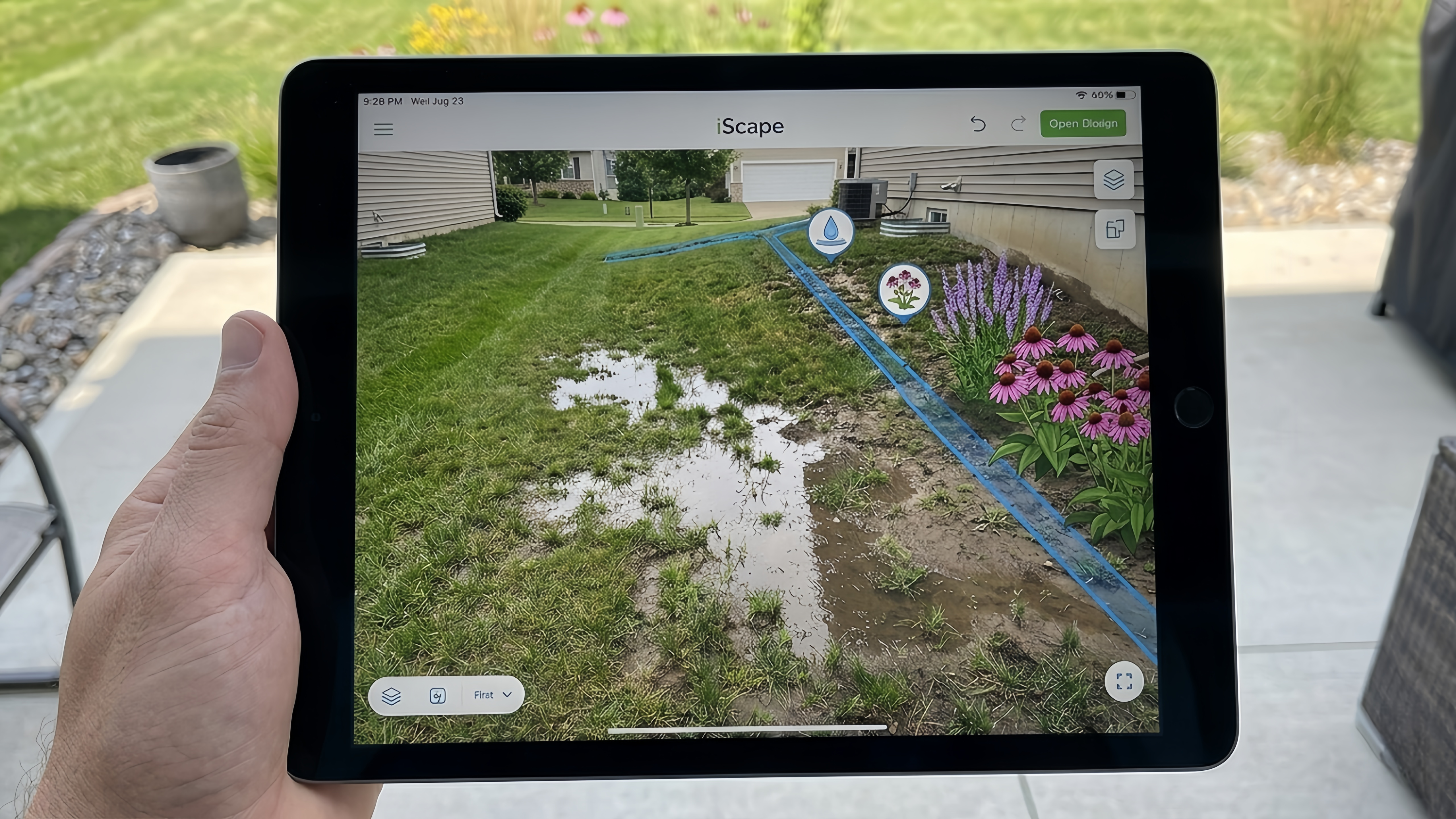
One feature many users overlook is iScape’s ability to simulate seasonal changes. By adjusting plant growth and water levels in the visual model, you can anticipate how runoff will behave during heavy spring rains or late-summer storms. This foresight helps prevent costly mistakes before you start digging.
Pros & Cons
Pros: Intuitive interface; extensive plant library (excellent for water-loving rain garden plants); realistic rendering; seasonal simulation features.
Cons: Not a civil engineering tool; lacks automated slope calculations or elevation data. You need to know your yard’s grading beforehand.
Pricing: Free version available; subscription unlocks full features.
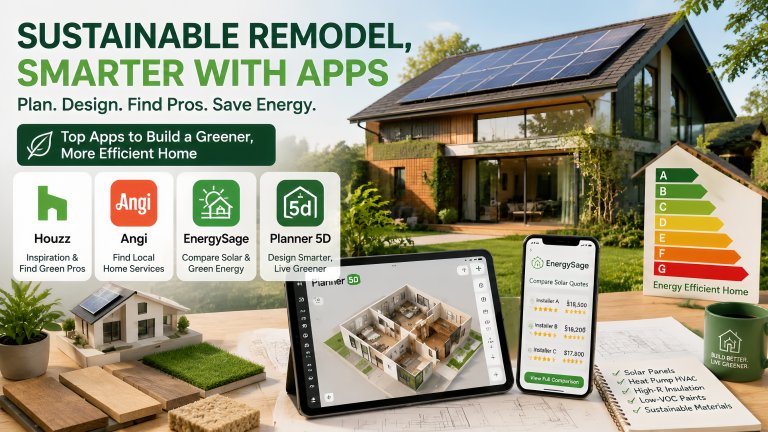
2. Houzz: Best for Inspiration and Professional Connections(iOS/Android)
Houzz isn’t a CAD program, but when tackling a complex drainage problem, seeing how professionals solve similar challenges is invaluable. It’s the best app for inspiration and connecting with landscape experts.
Why It Works
Searching terms like “drainage swale,” “rain garden design,” or “dry creek bed” yields thousands of real-world examples. This makes it easier to envision a drainage solution as a deliberate landscape feature rather than an unsightly ditch. Houzz’s “Find a Pro” feature is also essential if your drainage issues involve major slope problems or basement flooding. Vetting local professionals here can save you time and prevent costly mistakes.
Houzz also provides reviews and before-and-after photos from other homeowners, which is particularly useful if you’re unsure about the effectiveness of a proposed solution. Seeing how similar yards have transformed can give you confidence in your project plan.
Pros & Cons
Pros: Massive photo library; connects you with local landscape architects; helpful for gathering material ideas like river rock, mulch, and permeable pavers; access to real-world case studies.
Cons: Purely a research and networking tool; no technical planning or topography features.
Pricing: Free
3. PictureThis: Plant Identification & Care Expert (iOS/Android)
Once your drainage layout is mapped, selecting the right plants is critical. A rain garden only works if the vegetation you choose can thrive in your yard’s specific soil and moisture conditions. PictureThis is a top-rated plant identification and care app that makes it easy to screen for species suited to your yard’s light, soil, and water needs.
Why It Works
We tested PictureThis for rain garden planning, focusing on how it helps pick plants for different zones. Moisture-loving species are best for the “wet zone” at the bottom of the basin, while more drought-tolerant plants thrive along the “dry zone” edges. By scanning a plant with your phone, PictureThis provides detailed care instructions—including light requirements, soil preferences, and growth habits.
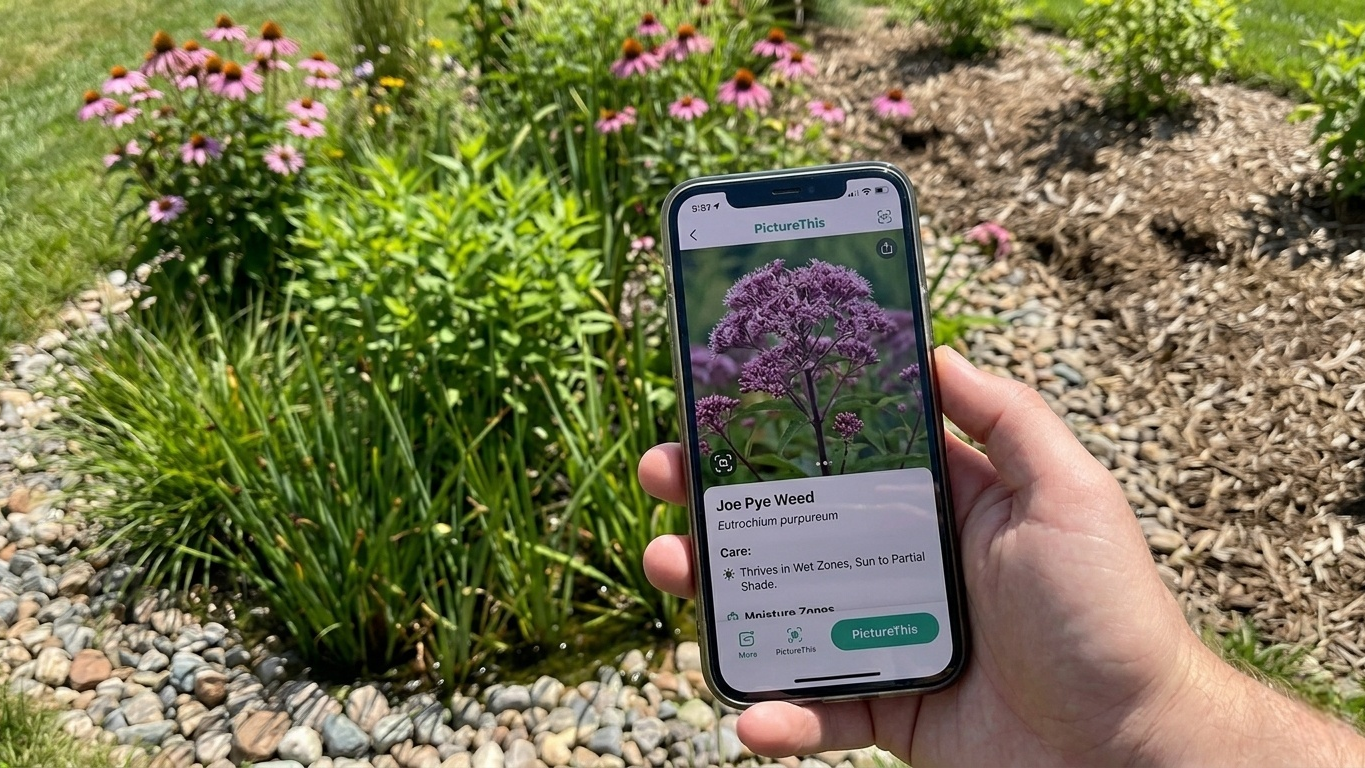
Its “Plant Doctor” feature is especially useful for catching early signs of stress or disease, helping you keep your rain garden healthy and vibrant. Whether you’re a novice gardener or just want to avoid costly trial-and-error planting, PictureThis simplifies the process while giving you actionable advice.
Pros & Cons
Pros:Highly accurate plant identification;Personalized care plans tailored to each plant;Light metering and watering reminders;Fully supported on both iOS and Android
Cons:Some advanced diagnostic features and professional care guides require a subscription
Pricing: Free to download; offers in-app purchases and optional subscription plans
4. DWG FastView: Best for Pro-Level Technical Drawings (iOS/Android)
If you are comfortable with drafting or already possess a site plan, a robust CAD mobile app is indispensable. DWG FastView allows you to edit technical drawings and mark up precise site dimensions with ease.
Why It Works This app is designed for precise workflows. Overlaying drainage pipes on a site plan is intuitive, making it a reliable mobile solution for technical drafting. You can accurately measure distances for pipe runs, swales, and rain garden footprints. It is an excellent choice for complex drainage projects, as it supports true technical drafting, allowing you to annotate elevation changes and calculate approximate slope percentages. Combining this with other visualization tools provides both the precision and creativity needed for professional-grade landscape planning.
Pros & Cons
Pros:Supports DWG and DXF files;Features precise measurements and professional annotation tools;Excellent support for slope calculation.
Cons:Steep learning curve;May feel like overkill for simple backyard projects;Requires existing site plans to be most effective.
Pricing: Free version available; subscription unlocks advanced professional features.
5. Google Earth: Best for Topography and Site Analysis(iOS/Android)
Before digging, it’s essential to understand how water naturally flows across your property. Google Earth provides a high-level view of your land’s slope and watershed.
Why It Works
We used the 3D terrain view to identify low spots and general water flow direction. On larger properties, this insight is crucial for placing drains and rain gardens effectively. While not precise enough for small-scale grading, Google Earth is invaluable for pre-design site analysis.
The app also allows you to trace watershed boundaries and simulate water paths during storms. This can help anticipate pooling areas or identify spots where additional erosion control measures, like retaining walls or permeable paving, might be necessary.
Pros & Cons
Pros: Free; excellent 3D satellite imagery; helpful for understanding overall drainage patterns; can outline watershed and flow paths.
Cons: Not accurate for inch-by-inch grading; requires interpretation of terrain.
Pricing: Free
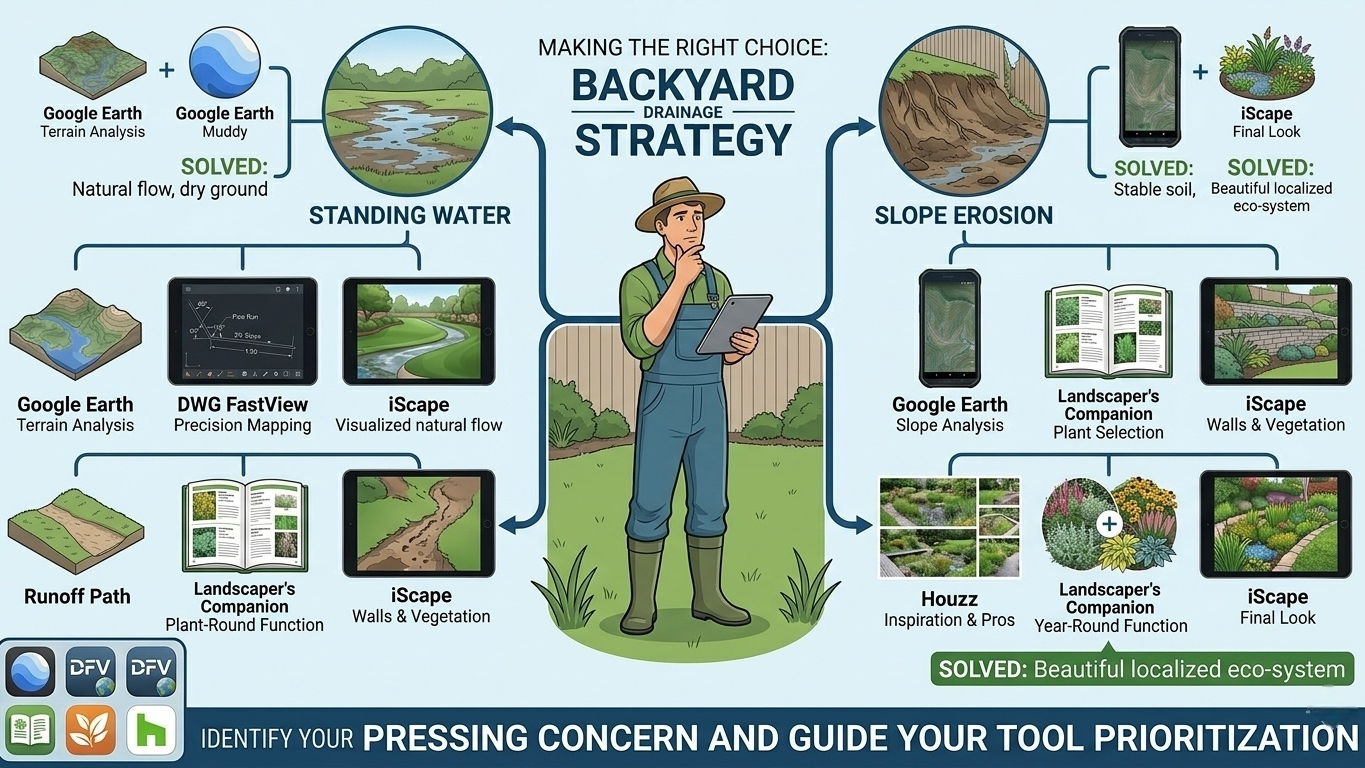
Making the Right Choice
There’s no single app that handles every aspect of drainage planning, from topography analysis to artistic rendering.
For usability and visualization: iScape is the best choice for seeing your finished project.
For complex problems: Start with Google Earth to analyze water flow, then use DWG FastView to map your swales and drains precisely, and finally use iScape to visualize the final look.
For plant selection: Landscaper’s Companion ensures your rain garden functions year-round and thrives in local conditions.
For inspiration and professional input: Houzz helps you see real-world solutions and connect with experienced landscapers.
By combining these tools, you can prevent standing water, reduce erosion, and create rain gardens that are both functional and visually appealing. Even small changes, like redirecting a low-lying section or planting moisture-loving perennials in strategic spots, can have a dramatic impact on your yard’s health.
Which of these drainage challenges—standing water, slope erosion, or rain garden design—is the most pressing concern in your backyard? Identifying your primary issue will guide which tools you should prioritize, saving time, money, and frustration in the long run.

Health and Wellness
Safe Routes, Bright Streets: 5 Best Apps for Night Running & Cycling in US Cities
Urban athletes no longer prioritize speed alone; personal safety has become a critical variable. Whether navigating a pre-dawn run through downtown Chicago, a late-evening bike ride in Los Angeles, or...



Hobbies and Entertainment