Taming the Dissertation Beast: Advanced Tools for Organizing Academic Research and Citations
The true bottleneck of academic research is rarely a lack of information; it is the chaotic logistics of managing it. When writing a master's thesis, a doctoral dissertation, or a peer-reviewed journal article, researchers routinely find themselves drowning under hundreds of downloaded PDFs, cryptic file names like "Untitled_Document_v2_final.pdf," and a labyrinth of disparate formatting guidelines. Trying to manually track inline citations and compile bibliographies across APA, MLA, Chicago, or Harvard standards is an invitation to administrative nightmare and accidental plagiarism.
To evaluate how modern mobile software handles heavy literature management, several prominent citation environments were put through a series of demanding real-world tests. We imported large multi-megabyte research papers, executed complex keyword searches across heavy PDF databases, annotated documents directly on mobile screens, and tested cross-platform synchronization latency.
The following citation and reference management tools represent the absolute best platforms for keeping your data organized and your bibliographies flawless.
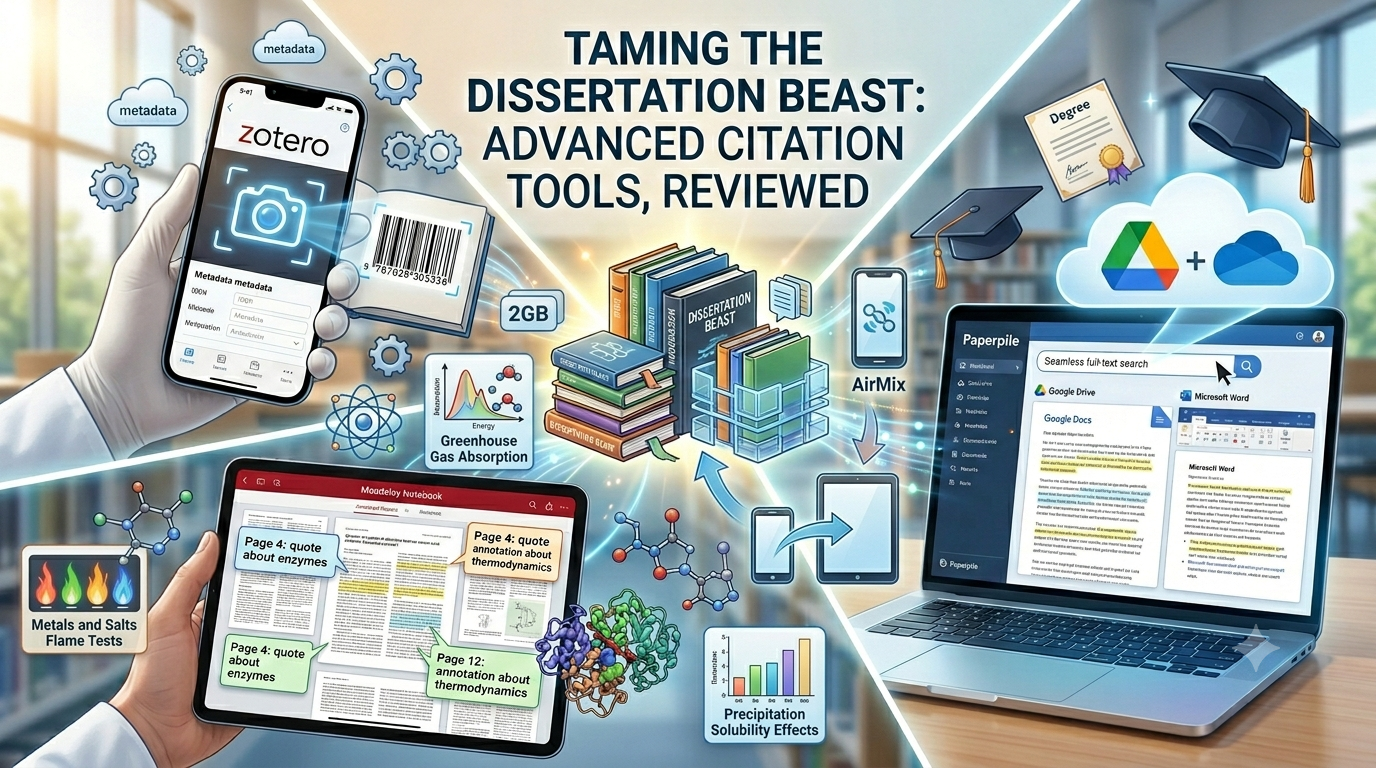
Zotero
Availability: iOS (Official App), Android (Via official ecosystem and compatible third-party clients)
Pricing Model: Completely free open-source base software; includes 300MB of free cloud storage with premium storage tiers starting at $20/year for 2GB up to $120/year for unlimited storage.
The Reality Check
Zotero is a phenomenal open-source powerhouse that dominates the academic ecosystem for a reason. When we integrated the official iOS app into our multi-device research workflow, the real-world utility was immediate. The standalone mobile interface functions as a highly responsive extension of your desktop workspace.
The absolute standout feature is the automated metadata fetching tool: if you drop a bare PDF or scan a physical book's ISBN barcode using your phone's camera, Zotero's background engine automatically scours global databases to instantly fill out the authors, journal name, publication year, and exact volume metadata. Its native PDF reader handles high-speed Apple Pencil highlighting and text annotation beautifully, feeding your local mobile edits straight back into your main desktop library via cloud sync without a single hitch.
Pros & Cons
Pros: Deeply ethical, community-driven, and completely open-source architecture with zero paywalled software features. The metadata extraction engine is shockingly accurate even on older, obscure journal scans.
Cons: The 300MB free cloud storage ceiling is incredibly small and will easily be consumed by just a few dozen media-heavy or high-resolution PDFs. The application UI favors a dense, utilitarian, folder-heavy design that can feel a bit visually clinical.
Paperpile
Availability: iOS, Android, Web
Pricing Model: Tiered subscription structure. The Regular tier costs $8.30/month (offering a 50% academic discount down to $4.15/month for students/faculty). The Expert tier is $11.50/month (academic rate $5.75/month).
The Reality Check
Paperpile is built from the ground up for researchers who prefer a modern, browser-centric, and Google Workspace-integrated cloud ecosystem. When we tested Paperpile on an Android tablet and an iPhone, its tight relationship with cloud architecture transformed how we managed data.
The core feature that genuinely excels is its seamless full-text PDF search capability (available on the Expert plan), which allows you to search deep inside the actual bodies of text across thousands of stored documents simultaneously. The mobile application utilizes Google Drive or OneDrive cloud storage flawlessly, giving you unlimited PDF file storage capacity without forcing you to buy proprietary storage plans from the developer. It is an exceptionally smooth, modern experience that completely eliminates manual database maintenance.
Pros & Cons
Pros: Incredible integration with Google Docs, Microsoft Word, and Overleaf/LaTeX environments. Uses your existing cloud drive accounts for file storage, side-stepping proprietary upload caps.
Cons: There is no permanent free tier available for long-term users. If you require advanced offline database manipulation or deep structural folder hierarchy configuration without a web connection, the system can feel slightly limited.
Mendeley Reference Manager
Availability: iOS, Android, Web
Pricing Model: Free basic plan with 2GB of cloud storage; premium storage upgrades range from $4.99/month to $14.99/month.
The Reality Check
Owned by academic publishing giant Elsevier, Mendeley is an absolute staple for researchers working within heavily data-reliant scientific disciplines. During active testing of the platform's cloud database tracking, its built-in PDF viewer and annotation system performed remarkably well.
The standout feature that works beautifully for deep literature reviews is the "Mendeley Notebook" tab. Instead of leaving your highlighting notes buried individually inside separate PDFs, the Notebook allows you to aggregate custom thoughts, quotes, and margin notes from completely different papers into one centralized, cross-referenced workspace. The companion "Mendeley Cite" tool also lets you pull your synchronized mobile collections instantly into Microsoft Word for rapid formatting.
Pros & Cons
Pros: Offers a highly generous 2GB of free out-of-the-box cloud storage, which is significantly higher than Zotero's starting tier. Excellent handling of heavy, citation-dense scientific PDFs and complex technical datasets.
Cons: The mobile application interface relies heavily on a constant internet connection to sync changes smoothly, occasionally showing lag when working entirely offline in remote areas. Its direct corporate ties to Elsevier mean that certain competing journal databases aren't always as seamlessly indexed as open platforms.

The Final Verdict
Your selection of an academic reference manager should depend heavily on your existing writing environment and cloud preferences:
For researchers whose workflows live entirely within Google Docs, Microsoft Word, and cloud-drive infrastructure, Paperpile provides an incredibly streamlined, highly intuitive, and modern experience that completely removes formatting headaches. If your research demands high-volume file storage completely for free out of the box, Mendeley Reference Manager offers a great corporate ecosystem with its massive 2GB free baseline tier.
However, for the vast majority of traditional academics, Zotero remains the absolute gold standard reference tool. Its uncompromising open-source philosophy, flawless metadata scanning capabilities, and cross-platform reliability ensure that your data remains entirely yours, permanently independent of commercial subscription paywalls. It transitions data organization from a manual administrative chore into an automated, highly efficient backdrop to your writing.

Health and Wellness
Safe Routes, Bright Streets: 5 Best Apps for Night Running & Cycling in US Cities
Urban athletes no longer prioritize speed alone; personal safety has become a critical variable. Whether navigating a pre-dawn run through downtown Chicago, a late-evening bike ride in Los Angeles, or...




Hobbies and Entertainment