How to Stop Commute Doomscrolling: 4 Best Apps to Reclaim Your Mornings
For a growing number of professionals in major U.S. cities, the morning commute has quietly transformed into a predictable digital loop. What begins as opening Instagram "for just a minute" frequently ends forty minutes later on TikTok, leaving commuters mentally depleted before the workday even begins. This issue stems not from a lack of personal discipline, but from deliberate design. Social platforms are engineered to prolong engagement rather than encourage boundaries.
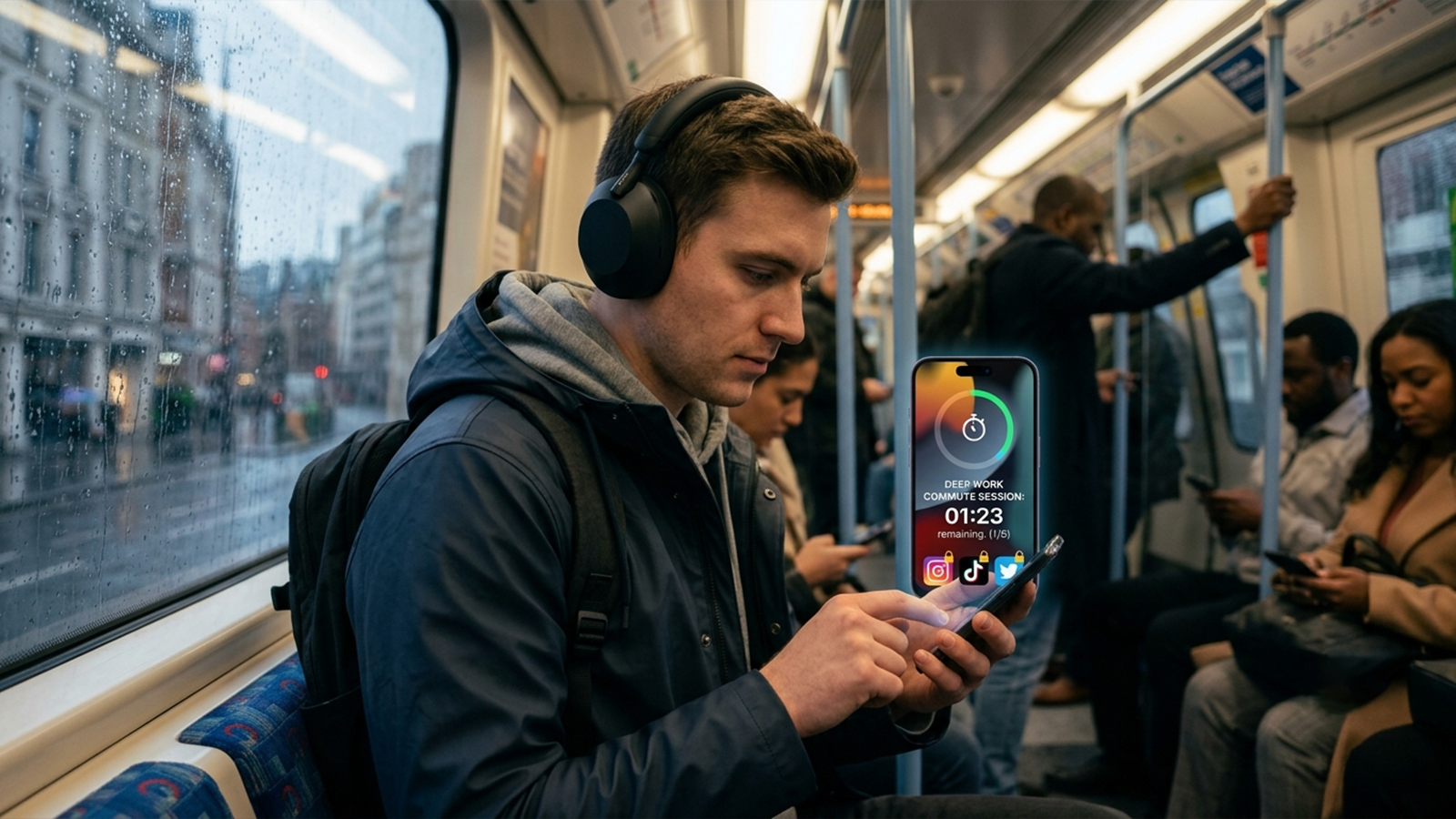
During the evaluation of modern screen-time tools for this review, generic "digital wellbeing" metrics were set aside. Instead, testing focused strictly on one objective: identifying applications that actively intercept or prevent doomscrolling right before the morning commute, a critical window when individuals are most vulnerable to passive consumption.
Several strict criteria guided the selection process:
Active Intervention: Does the tool genuinely block access, or does it merely track usage patterns?
Bypass Resistance: How easily can a user override the restriction during a moment of weakness?
Platform Consistency: Does the software perform reliably across both iOS and Android?
Economic Value: Is the pricing structure reasonable for daily, long-term use?
The resulting shortlist highlights tools that successfully alter user behavior rather than just reporting it.
1. One Sec (iOS, Android)
Breaking Autopilot Habits Through Micro-Interventions
Testing One Sec during authentic commute preparations—such as standing in line for coffee, waiting on a train platform, or sitting in a rideshare—revealed an approach fundamentally different from traditional blockers. Rather than denying access outright, the application intercepts the digital impulse before a social media platform can even load.
By introducing intentional delays, such as breathing prompts or short animated exercises, the software forces a moment of mindfulness. These micro-interventions significantly reduce mindless opens and compel users to make a conscious choice about their screen time.
This enforced pause serves as the mechanism's core strength. Evaluation showed that the initial urge to browse Instagram or X was frequently broken by the delay itself. By targeting the psychological habit loop rather than relying on brute-force restriction, the tool effectively rewires morning routines.
Strengths: Highly effective at disrupting automatic opening loops; cross-platform compatibility; lightweight setup with verified reductions in overall screen time.
Limitations: Lacks a hard-blocking mechanism, allowing determined users to proceed; habit adaptation may reduce effectiveness over time; core features require a subscription.
Strategic Fit: Ideal for individuals who require behavioral interruption rather than strict punishment. It excels at preventing the initial spark of a commute-bound doomscroll.
2. Freedom (iOS, Android, Windows, macOS)
Cross-Device Synchronization for Comprehensive Lockdown
As one of the most established names in the digital productivity space, Freedom offers a distinct advantage that became apparent during testing: multi-device synchronization. For users whose morning routines span multiple screens, a block initiated on a smartphone seamlessly carries over to a tablet or laptop.
The service utilizes pre-scheduled sessions to restrict websites and applications across all synced hardware. To ensure accountability, an optional "Locked Mode" can be activated, which entirely prevents users from terminating a focus session before the timer expires.
While highly effective on desktop environments, mobile testing revealed that Freedom's reliance on a local VPN configuration can occasionally lead to minor connectivity friction on iOS devices compared to native solutions.
Strengths: True cross-platform functionality spanning mobile and desktop; exceptional scheduling capabilities for morning routines; Locked Mode ensures absolute accountability.
Limitations: VPN-based mobile blocking can occasionally experience instability; requires an ongoing subscription; configuration feels heavier than newer, friction-based apps.
Strategic Fit: Perfect for professionals whose doomscrolling habits migrate across devices. If a morning routine begins on a phone but bleeds into a work laptop, Freedom provides a unified defense.
3. AppBlock (Android-First, iOS Limited)
Automated Discipline Through Routine-Based Scheduling
Built entirely around customizable rules, AppBlock is highly optimized for structured daily schedules. Rather than reacting to user behavior in real time, the application proactively shuts down access during predefined time slots, making it an excellent companion for the morning rush.
In real-world scenarios, the most effective configuration proved to be the simplest: establishing a blanket restriction on Instagram, TikTok, and YouTube between 7:30 AM and 9:00 AM. The software also incorporates strict profiles that block any modifications to active rules, preventing users from altering schedules mid-commute.
While the Android version delivers deep customization and flawless execution, the iOS counterpart faces platform-specific constraints that limit its overall utility.
Strengths: Highly granular scheduling engine; automated execution requires zero daily maintenance; strict modes prevent mid-session rule changes.
Limitations: Visual interface lacks the refinement of newer competitors; features are notably constrained on iOS; requires precise initial planning to align with routines.
Strategic Fit: Tailor-made for commuters with predictable, highly structured mornings. The tool converts personal discipline into an automated system.
4. Built-in Screen Time & Digital Wellbeing (iOS & Android)
The Zero-Cost Baseline Control
The most accessible solution to morning distraction is often the one already running in the background. Testing Apple’s Screen Time and Android’s Digital Wellbeing with strict app limits applied prior to 9:00 AM revealed that these native tools remain surprisingly potent when configured with intention.
Because these utilities operate at the operating system level, they experience none of the stability issues that sometimes plague third-party software. They offer a seamless, zero-cost method to impose basic boundaries on social media consumption.
However, historical usage patterns and digital wellness studies indicate that native tools possess a glaring vulnerability: they are incredibly easy to bypass with a simple passcode prompt, offering little psychological resistance during moments of low willpower.
Strengths: Integrated directly into the OS at no additional cost; requires no third-party installations; stable, system-level restriction capabilities.
Limitations: Highly susceptible to quick user overrides; lacks behavioral psychology principles or mindful friction; minimal motivational reinforcement.
Strategic Fit: Best utilized as a foundational security layer. These tools work most effectively when combined with more dynamic third-party applications.
Synthesis: Constructing the Ultimate Commute Defense
Evaluating these tools across trains, coffee shops, and early-morning routines highlighted a clear division of strengths:
One Sec excels at breaking immediate, impulsive habits.
Freedom delivers seamless control across multiple devices.
AppBlock automates restrictions to match rigid routines.
Native OS tools establish a reliable, cost-free baseline.
Interestingly, testing demonstrated that the absolute most effective real-world configuration did not rely on a single application. Instead, a multi-layered approach yielded the highest success rate.
By pairing a native tool like Apple Screen Time or Android Digital Wellbeing with a friction-based app like One Sec, commuters create a dual-defense system. The native tool establishes a baseline restriction, while One Sec targets the psychological impulse to open an app.
For the average commuter, the ultimate objective is not achieving total digital abstinence; it is simply disrupting the first thirty seconds of mindless scrolling. Once that initial impulse is intercepted, the urge typically dissipates, allowing for a focused, intentional start to the day.

Health and Wellness
Safe Routes, Bright Streets: 5 Best Apps for Night Running & Cycling in US Cities
Urban athletes no longer prioritize speed alone; personal safety has become a critical variable. Whether navigating a pre-dawn run through downtown Chicago, a late-evening bike ride in Los Angeles, or...



Hobbies and Entertainment